
E.164 Phone Number Format Explained for Developers
What Is E.164 and Why It Matters
If you have ever tried to send an SMS, validate a signup form, or store phone numbers in a database, you have probably run into a mess of formats. One user types (555) 123-4567, another writes 0555 123 45 67, and a third pastes +1-555-123-4567. They might all point to the same person, but your code sees three different strings.
E.164 solves this. It is the international standard defined by the ITU (International Telecommunication Union) for how phone numbers should be formatted globally. When you normalize every number to E.164, you get one canonical, unambiguous representation that works for storage, comparison, and messaging APIs.
For any developer building authentication, SMS verification, or contact features, E.164 is the format you want as your source of truth.
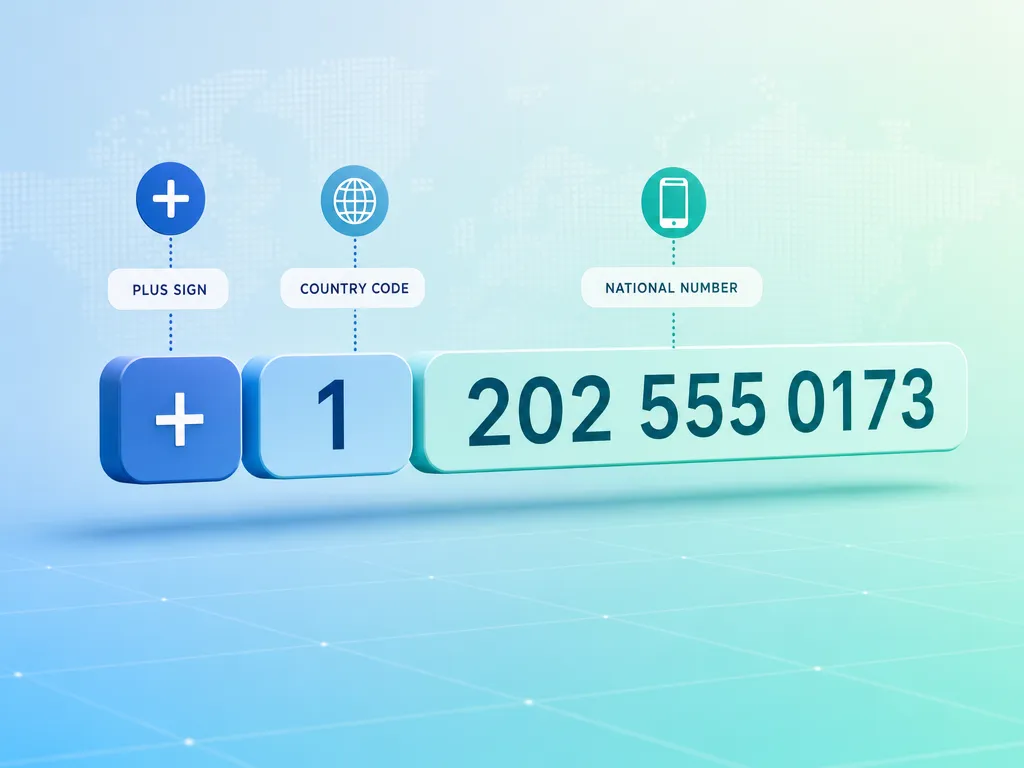
The Structure of an E.164 Number
An E.164 number has a strict shape. It looks like this:
+[country code][national number]
A few concrete examples:
+14155552671(United States)+442071838750(United Kingdom)+905321234567(Turkey)+8613800138000(China)
The rules are simple but non-negotiable:
- It always starts with a
+sign. - The
+is followed by the country calling code (1 to 3 digits). - Then comes the subscriber number, with no spaces, dashes, parentheses, or leading zeros.
- The total length never exceeds 15 digits (not counting the
+).
That maximum of 15 digits is the single most important constraint to remember. It comes straight from the ITU-T E.164 recommendation.
What E.164 does NOT include
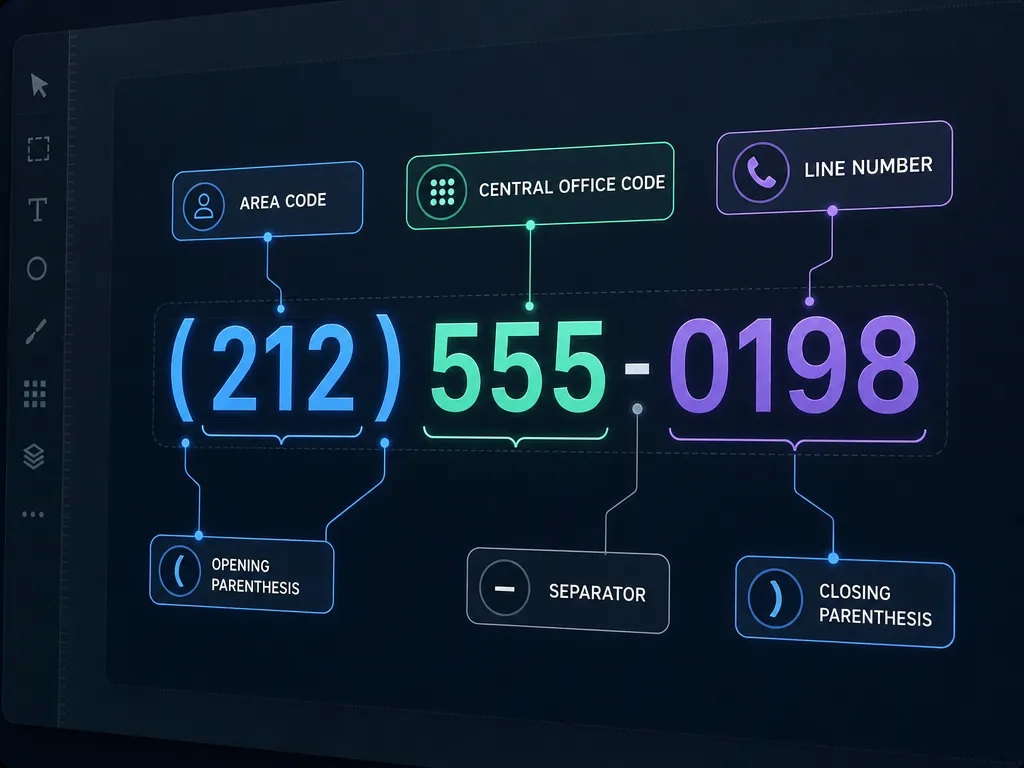
This trips up a lot of developers. E.164 has no room for:
- Formatting characters like
(),-, or spaces - Extension numbers (like
x123) - The international call prefix (
00or011) that you dial before the number - National trunk prefixes (the leading
0many countries use domestically)
So a Turkish number dialed locally as 0532 123 45 67 becomes +905321234567 in E.164. The leading 0 is a national trunk prefix and gets dropped, replaced by the +90 country code.
Why Developers Should Standardize on E.164
Storing raw user input is a recipe for bugs. Here is what you gain by normalizing everything to E.164.
1. Reliable deduplication
If two records both store +14155552671, you can compare them with a simple string equality check. Without normalization, 415-555-2671 and (415) 555-2671 look like different customers.
2. Messaging and verification APIs expect it
Most SMS gateways and verification providers require E.164 as input. If you send a poorly formatted number, the message silently fails or bounces. When you build phone-based auth, feeding clean E.164 numbers to your provider dramatically cuts delivery failures. This matters a lot for SMS verification, where a single malformed number means a code never arrives.
3. Predictable storage
A single VARCHAR(16) column handles every phone number on the planet. No format guessing, no locale-specific columns.
4. Easier internationalization
Because the country code is embedded, you always know where a number belongs. You can route, bill, or filter by region without a separate country field.
How to Validate and Normalize E.164 in Code
Do not write your own regex from scratch and call it a day. Phone numbering plans are messy, and they change. Countries add new area codes, adjust digit lengths, and reassign ranges. A hardcoded regex will rot.
The naive regex (for quick sanity checks only)
^\+[1-9]\d{1,14}$
This checks the basic shape: a +, a non-zero first digit, then up to 14 more digits. It is fine as a first-pass filter, but it does not confirm that a number is actually valid or assignable in its country.
The right way: use a library
Google's libphonenumber is the de facto standard, and it has ports for almost every language:
- JavaScript / TypeScript:
libphonenumber-js - Python:
phonenumbers - Java:
libphonenumber - PHP:
giggsey/libphonenumber-for-php
Here is a JavaScript example:
import { parsePhoneNumberFromString } from 'libphonenumber-js'

function toE164(input, defaultCountry) {
  const phone = parsePhoneNumberFromString(input, defaultCountry)
  if (!phone || !phone.isValid()) {
    return null
  }
  return phone.format('E.164') // e.g. "+14155552671"
}

toE164('(415) 555-2671', 'US') // "+14155552671"
toE164('0532 123 45 67', 'TR') // "+905321234567"
And the Python equivalent:
import phonenumbers

def to_e164(raw, region):
    parsed = phonenumbers.parse(raw, region)
    if not phonenumbers.is_valid_number(parsed):
        return None
    return phonenumbers.format_number(
        parsed, phonenumbers.PhoneNumberFormat.E164
    )
The defaultCountry / region argument matters. When a user submits a number without a + and country code, the library uses that hint to fill in the gap. Pull it from the user's locale, IP geolocation, or a country selector in your form.

Common E.164 Mistakes and How to Avoid Them
Storing the + inconsistently
Pick one convention and enforce it everywhere. E.164 technically includes the +. Store it. Do not strip it in one service and keep it in another, or your comparisons will break.
Dropping leading zeros incorrectly
The national trunk prefix 0 should be removed when converting to E.164, but only in the national portion. Never confuse it with a legitimate digit. Libraries handle this correctly; manual string slicing usually does not.
Assuming all countries have the same length
US numbers are 10 digits after the country code. Some countries use 8, others 9 or more. Never hardcode a length check beyond the universal 15-digit maximum.
Confusing valid with reachable
E.164 validation tells you a number is well-formed and assignable. It does not tell you the line is active or can receive SMS. If a code never arrives, the number format is only one suspect. Our guide on why your OTP code never arrived covers the other causes.
Skipping validation on the backend
Client-side checks improve UX, but they are not security. Always re-validate and normalize on the server before storing or sending anything.
E.164 in SMS Verification Workflows
Phone verification is where E.164 earns its keep. The typical flow looks like this:
- User enters a number in any format.
- Your frontend shows a country selector and does a first-pass parse.
- Your backend normalizes to E.164 with libphonenumber.
- You store the E.164 string and pass it to your SMS provider.
- The provider delivers a one-time code to that exact number.
When you rent numbers to receive codes rather than send them, the same standard applies. Numbers you get through a virtual phone number service are already in a clean international format, which makes them easy to plug into your test suites and automation.
If you are wiring this into an app, the SMS verification API developer guide walks through the request and response shapes, and the API documentation shows exactly how numbers are represented in each endpoint.
Quick Reference: E.164 Rules
| Rule | Value |
|---|---|
| Leading character | + |
| Country code length | 1 to 3 digits |
| Max total digits | 15 (excluding +) |
First digit after + | 1 to 9 (never 0) |
| Allowed characters | digits only |
| Formatting symbols | none |
Frequently Asked Questions
Is the + part of the E.164 number?
Yes. The canonical E.164 representation includes the leading +. When storing, keep it for consistency.
Can E.164 numbers have extensions? No. Extensions are outside the E.164 spec. If you need them, store the extension in a separate field.
What is the maximum E.164 length?
15 digits, not counting the +. This is a hard limit from the ITU.
Does E.164 tell me if a number can receive SMS? No. It only confirms the format is valid and the range is assignable. Deliverability is a separate concern.
Should I validate on the frontend or backend? Both. Frontend for a smooth UX, backend for correctness and security.
Get Started with SMSBulk
Clean phone number handling starts with clean numbers. SMSBulk gives you SMS verification numbers from countries worldwide, all delivered in standard international format, so you can receive codes for WhatsApp, Telegram, Google, and many other services without wrestling with malformed input. Developers can wire everything up through our documented API, and travelers can pair a number with an SMSBulk travel eSIM on the same wallet. Create an account, top up, and start building verification flows that just work.
هل أنت مستعد للتحقق من الحسابات بسهولة؟
احصل على رموز SMS فورية من 190+ دولة في أقل من 30 ثانية.