
Email Verification API: Receive Email OTP Codes in Code
What an Email Verification API Actually Does
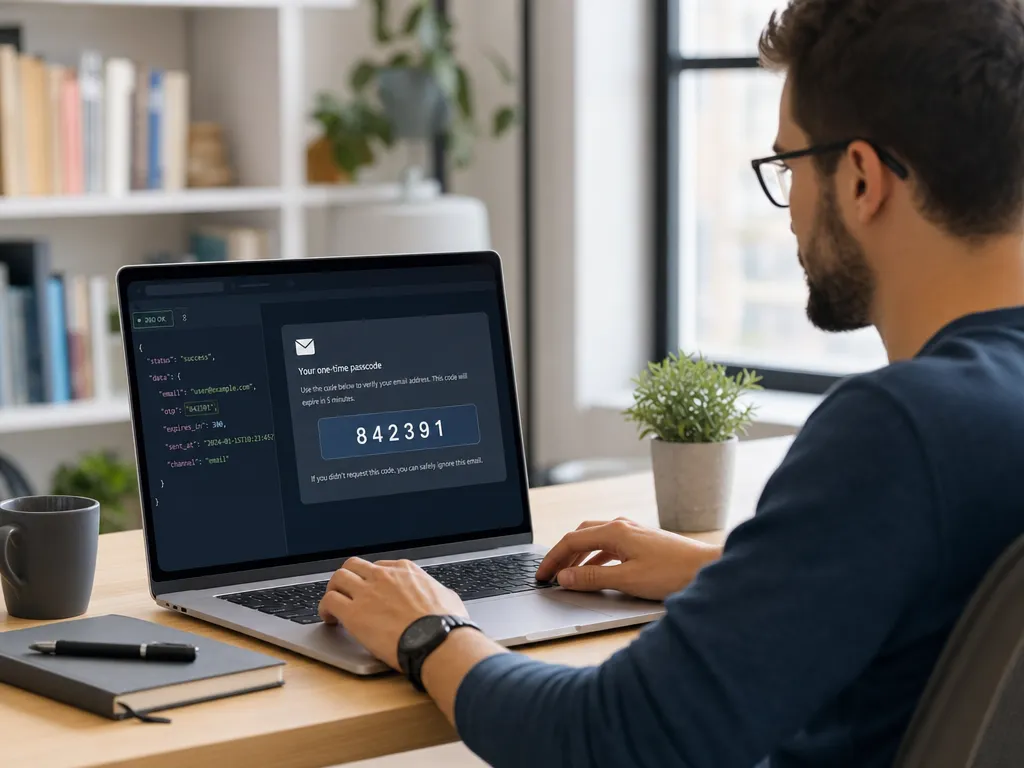
Many automated workflows hit the same wall. You create an account, and the service sends a one-time code to an email inbox. If a human has to open that inbox, copy the code, and paste it back, the whole process stops being automated.
An email verification API solves this. It gives you a temporary email address through a REST endpoint, then lets your code poll for incoming messages and extract the OTP automatically. No inbox to open manually. No copy and paste.
This is the same idea behind SMS-based flows, only for email. If you have used an SMS verification number to receive text codes, the mental model is identical. The email verification API from SMSBulk mirrors that SMS API on purpose, so the two feel like one system.
When You Need This
Not every project needs programmatic email OTP. But several common cases make it almost mandatory.
- Automated testing. QA pipelines that sign up test accounts need a fresh inbox for each run.
- Multi-account management. Managing many profiles for a business means many verification steps.
- Bot and script workflows. Any script that registers or logs in to a service that emails a code.
- Onboarding automation. Internal tools that provision accounts across several platforms at once.
In all of these, a human copying codes from a mailbox is the bottleneck. The API removes it.
How the Workflow Looks Step by Step
The flow is short and predictable. Once you understand it, every provider looks similar.
1. Request a temporary email address
You call an endpoint that returns a fresh address plus an identifier for that session. You then use that address wherever the target service asks for an email.
2. Trigger the code
Your application (or the service you are registering on) sends the OTP to the address you just received. Nothing special happens here on your side. You just proceed with the signup or login as normal.
3. Poll for the message
You call a second endpoint, passing the session identifier. The API checks the inbox and returns any messages that have arrived. You poll on a short interval, for example every few seconds, until the message shows up.
4. Extract the code
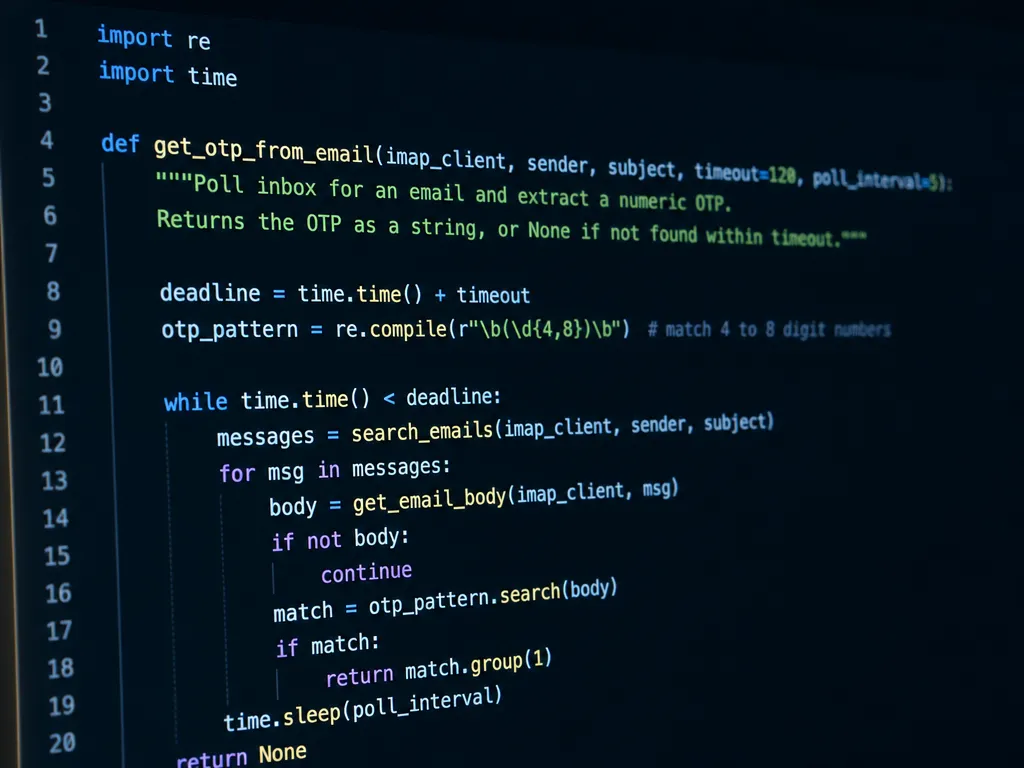
Once the message body is returned, you parse it for the OTP. Most codes follow a simple pattern, like a six-digit number, so a short regular expression handles it.
5. Submit and finish
Your code enters the OTP into the target service and completes verification. The whole cycle usually takes seconds.
A Practical Code Example
Here is a simplified pseudocode version so the shape is clear. Real endpoint names and parameters come from the API documentation.
import time, re, requests

API = "https://api.smsbulk.net"
HEADERS = {"Authorization": "Bearer YOUR_KEY"}

# 1. Request a temporary email
res = requests.post(f"{API}/email/order", headers=HEADERS).json()
address = res["email"]
order_id = res["id"]
print("Use this address:", address)

# 2. Poll for the incoming message
code = None
for _ in range(20):
    inbox = requests.get(
        f"{API}/email/messages/{order_id}",
        headers=HEADERS
    ).json()
    if inbox.get("messages"):
        body = inbox["messages"][0]["body"]
        match = re.search(r"\b\d{6}\b", body)
        if match:
            code = match.group()
            break
    time.sleep(3)

print("OTP code:", code)
This pattern (order, poll, parse) is the heart of every email OTP integration. Swap the endpoint paths for the real ones and adjust the regular expression to match the code format you expect.

Handling the Tricky Parts
The happy path is easy. Production code needs to handle the edge cases too.
Timeouts
Sometimes the message never arrives, or arrives late. Set a maximum number of poll attempts and fail gracefully. Do not loop forever.
Wrong message picked up
An inbox can receive more than one email. A welcome message might arrive before the OTP. Filter by sender or subject when possible, and only match the message that actually contains a code.
Code format variation
Not every service uses six digits. Some send four digits, some send alphanumeric strings, some embed the code in a link. Inspect a real sample first, then write your parser to match it.
Rate and retry logic
Poll on a sensible interval. Every two to three seconds is usually enough. Hammering the endpoint every 100 milliseconds wastes quota and gains nothing.
Email OTP vs SMS OTP
Both channels deliver one-time codes, and both have a place. The choice depends on what the target service accepts.
Some platforms only verify by phone. Others accept email. Many accept both and let the user pick. If you are weighing the two, the trade-offs are covered in detail in our comparison of SMS OTP and email OTP.
In short:
- Email OTP is cheaper to receive at scale and works anywhere with internet.
- SMS OTP is required by services that insist on a real phone number.
Because SMSBulk offers both from one account and one wallet, you can switch between them without juggling separate vendors. The developer experience is nearly identical, which is the point.
Building It Into a Larger System
Email OTP rarely lives alone. It is usually one step in a bigger automation. The same principles that apply to building an OTP verification flow into your app carry over here.
A few architecture tips help:
- Keep credentials in environment variables, never in source code.
- Wrap the poll loop in a function that returns a code or raises a clean error.
- Log each step so you can debug a failed verification later.
- Reuse sessions carefully. A temporary address is usually single-purpose. Order a new one per account.
- Respect the target service. Automating verification is powerful. Use it within the terms of the platforms you interact with.
Security and Good Practice
Programmatic OTP handling touches sensitive flows, so treat it with care.
Store your API key like a password. Rotate it if it leaks. Do not print full email bodies to shared logs, since they can contain reset links and personal data. When you finish with a temporary address, let it expire rather than reusing it across unrelated accounts.
On the parsing side, be strict. A loose regular expression might grab the wrong number, for example a year or an order ID that also appears in the message. Anchor your pattern to the context around the code when you can.
Common Questions
Can I receive attachments or full HTML emails?
Most email verification APIs return the message body, and often both plain text and HTML versions. For OTP extraction, plain text is easiest to parse. Check what the response includes before you build your parser.
How fast do codes arrive?
Usually within seconds, though it depends on the sending service. Build your poll loop to wait a reasonable window rather than assuming instant delivery.
What if the service blocks temporary addresses?
Some platforms reject certain address ranges. If that happens, an SMS-based flow using a real virtual number is the fallback. This is exactly why having both channels on one platform matters.
Do I need separate accounts for email and SMS?
No. With SMSBulk, one account and one wallet cover both the email verification API and SMS numbers, so you manage everything in one place.
Get Started with SMSBulk
If you are ready to automate email OTP handling, the email verification API from SMSBulk gives you temporary addresses, a clean polling endpoint, and code extraction that fits straight into your scripts. It shares one account and one wallet with SMS verification numbers, so when a service demands a phone code instead of an email code, you switch channels without switching vendors. Read the developer docs, grab an API key, and ship your first automated verification today.
Ready to verify accounts the easy way?
Get instant SMS codes from 190+ countries in under 30 seconds.